 Create Token
How to Prove Your Token Isn't a Scam
Show buyers your token isn't a scam: revoke authorities, renounce ownership, verify the contract, lock liquidity and get an audit — with proof on-chain.
Unilaunch Team8 min read
Key takeaways
- Buyers can't read your intentions, only your token — so trust comes from what they can check on-chain.
- On Solana, revoked mint, freeze and update authorities prove the supply, wallets and metadata can't be touched.
- On EVM chains, renounced ownership and a verified contract show that nobody can quietly change the rules.
- Locked or burned liquidity proves the pool can't be pulled, and the lock page is proof anyone can open.
- An audit is a useful extra review, not a guarantee — link a report that names your contract address.
Contents
Anyone can create a token in minutes, under any name — and some tokens are built to take buyers' money. So when people find yours, they start from suspicion. They don't read your roadmap first. They paste your contract address into a scanner and look for the ways you could hurt them.
The good news is that almost every one of those ways can be closed off, and closing it leaves proof on the blockchain that anyone can check. This guide covers the signals that matter — revoked authorities, renounced ownership, a verified contract, locked liquidity, an audit and an open token split — what each one proves, and how buyers will check it.
What buyers are really checking
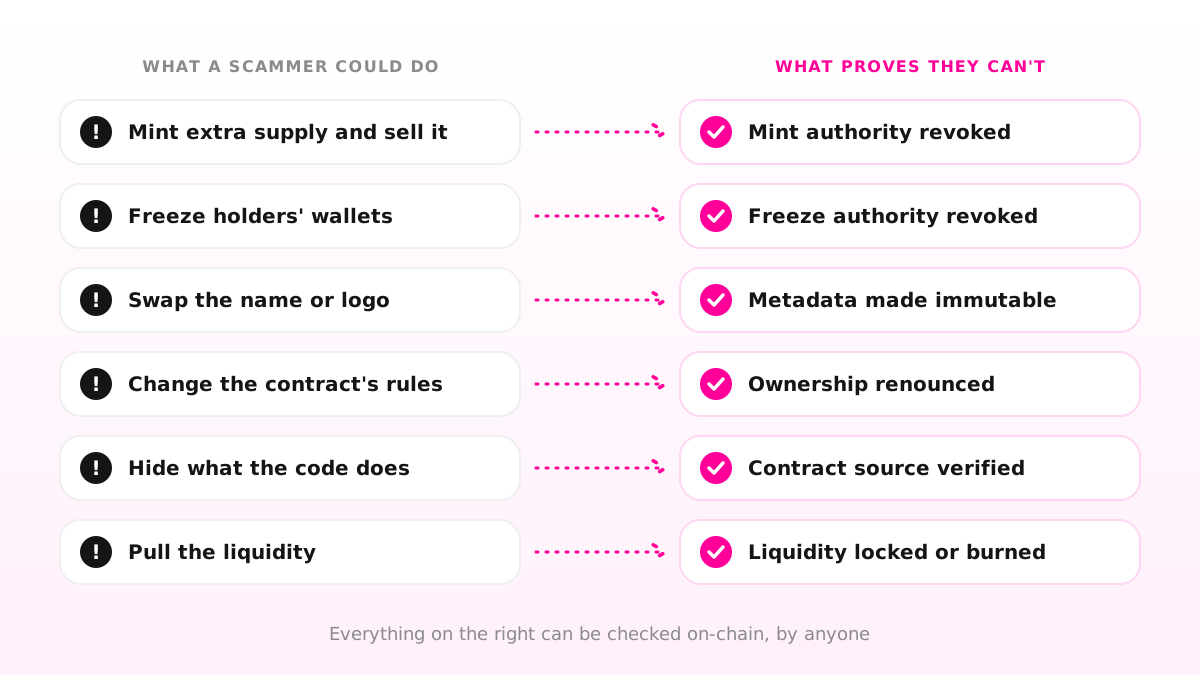
Scam tokens tend to follow a handful of patterns. The creator mints extra supply and sells it into the market. They freeze holders' wallets so nobody else can sell. They swap the token's name or logo to pass it off as another project. They change the contract's rules, raising a transfer fee or pausing trading. Or they simply pull the liquidity out of the pool, leaving holders with nothing to sell into.
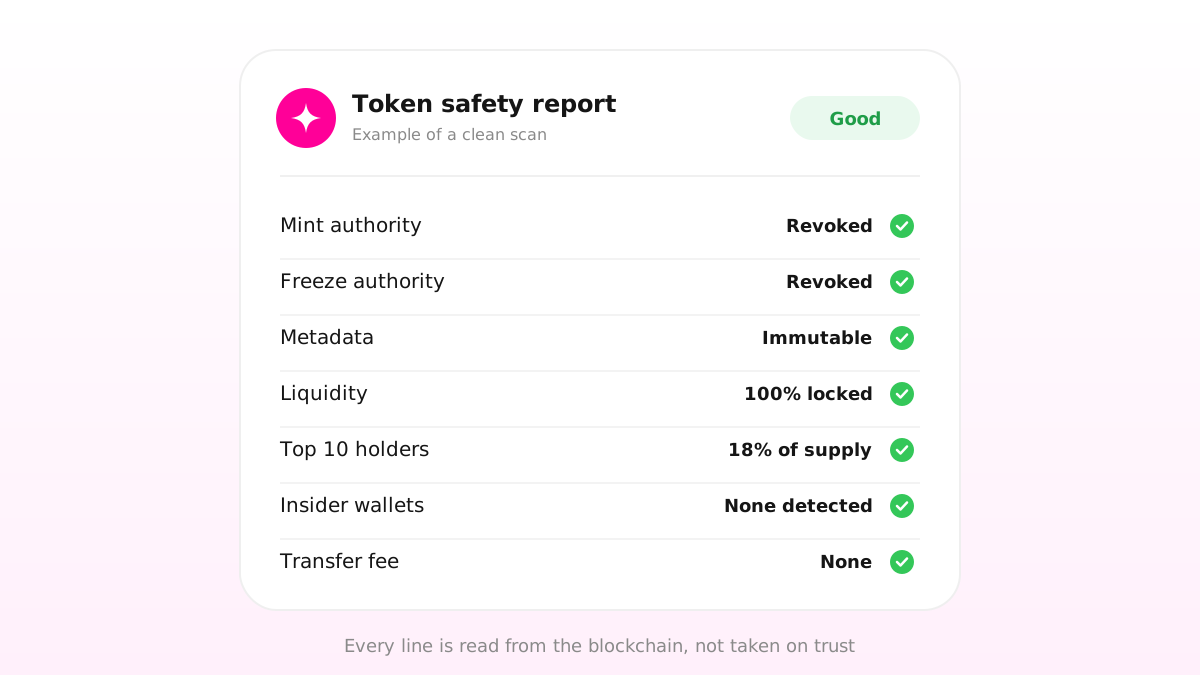
Scanners exist to catch exactly these. On Solana, RugCheck looks at whether mint, freeze and update authority are still active, whether the liquidity is burned or locked, and how concentrated the top holders are. On EVM chains, honeypot.is simulates a buy and a sell to see whether selling is blocked, and GoPlus checks owner permissions, minting, blacklists and fees.
So the goal is simple to state: make every one of those checks come back clean, and make the proof easy to find.
1. Revoke the authorities you don't need (Solana)
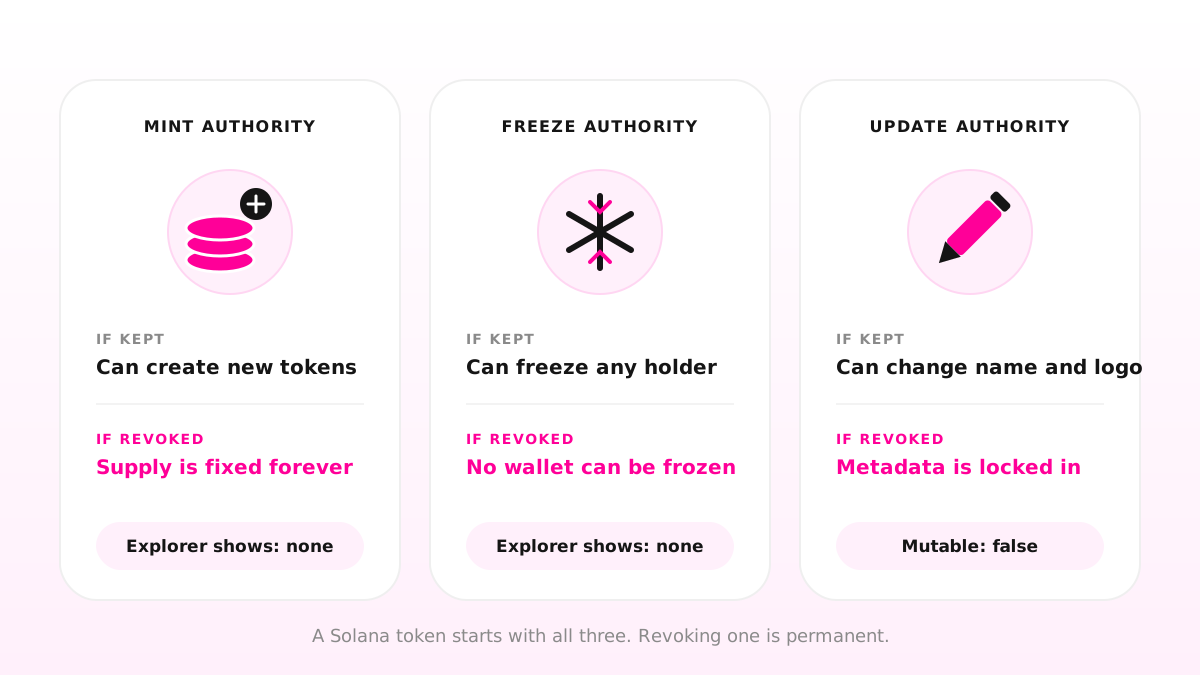
A Solana token is created with three authorities, and each one is a power someone holds over every holder. Our crypto basics guide introduces them; here is what they mean for trust:
Mint authority controls the issuance of new tokens. While it's active, whoever holds it can create more supply at any time.
Freeze authority lets its holder freeze individual token accounts, so the tokens in them can't be moved.
Update authority can change the token's name, symbol and logo.
Revoking an authority removes it permanently. A revoked mint authority means the supply you launched with is the supply forever. A revoked freeze authority means no wallet can ever be frozen. A revoked update authority makes the metadata immutable — explorers show it as mutable: false. RugCheck flags any authority that is still active.
On Unilaunch this doesn't take a separate tool: the Freeze, Mint and Update cards in step 2 of Create Token revoke each authority as part of the launch itself.
One trade-off is worth weighing. Once update authority is revoked, you can never change your logo or links again. If your branding isn't final, you can revoke mint and freeze at launch and keep update authority a little longer — just say so publicly, so nobody mistakes it for a hidden lever.
2. Renounce ownership (EVM chains)
On Ethereum, Base, BNB Chain and the other EVM chains, the equivalent powers sit with the contract's owner. Functions marked owner-only — minting, pausing transfers, changing a transaction fee — can be called by that one wallet and nobody else.
Renouncing ownership removes that wallet. In OpenZeppelin's widely used Ownable contract, renounceOwnership() leaves the contract without an owner, and owner-only functions can no longer be called by anyone. On an explorer, the owner then reads as the zero address.
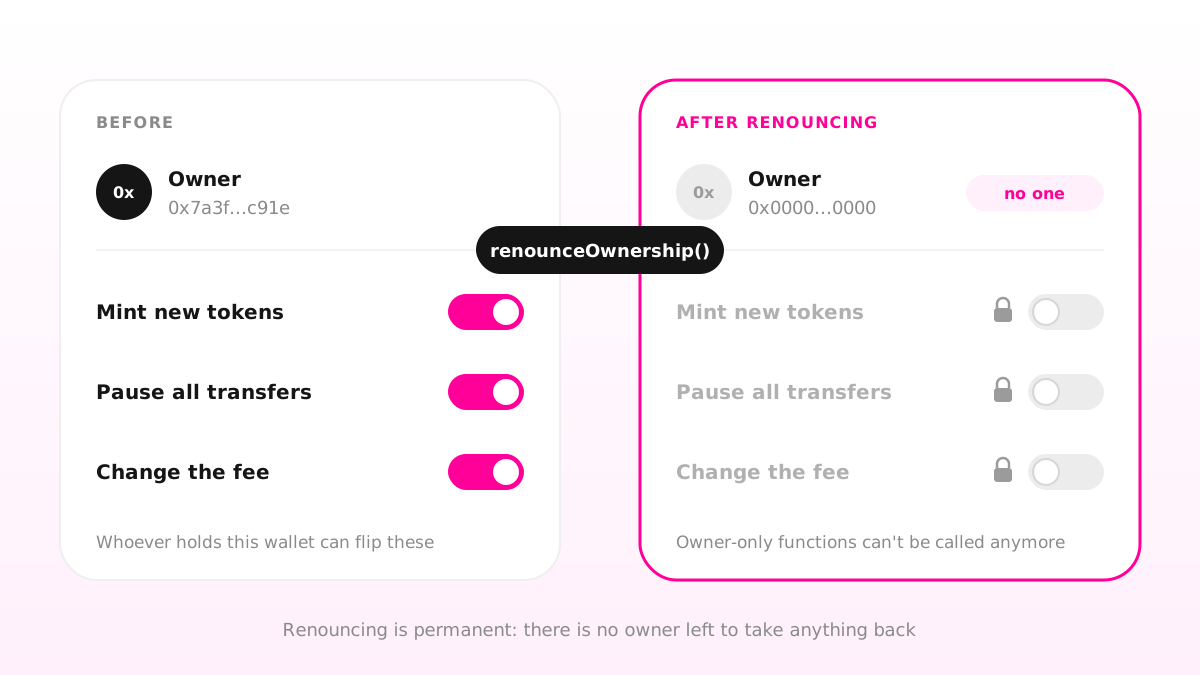
Unilaunch covers this from both sides. The Burnable, Mintable and Pausable capabilities are chosen at creation, and anything you leave off is never written into the contract at all. And you can renounce ownership as part of the launch, so no owner-only function is left for anyone to call.
The trade-off mirrors Solana's: renouncing is permanent. If your token has a transaction fee, its rate and the wallet that receives it can't be changed once there's no owner left to change them.
3. Verify the contract's source code
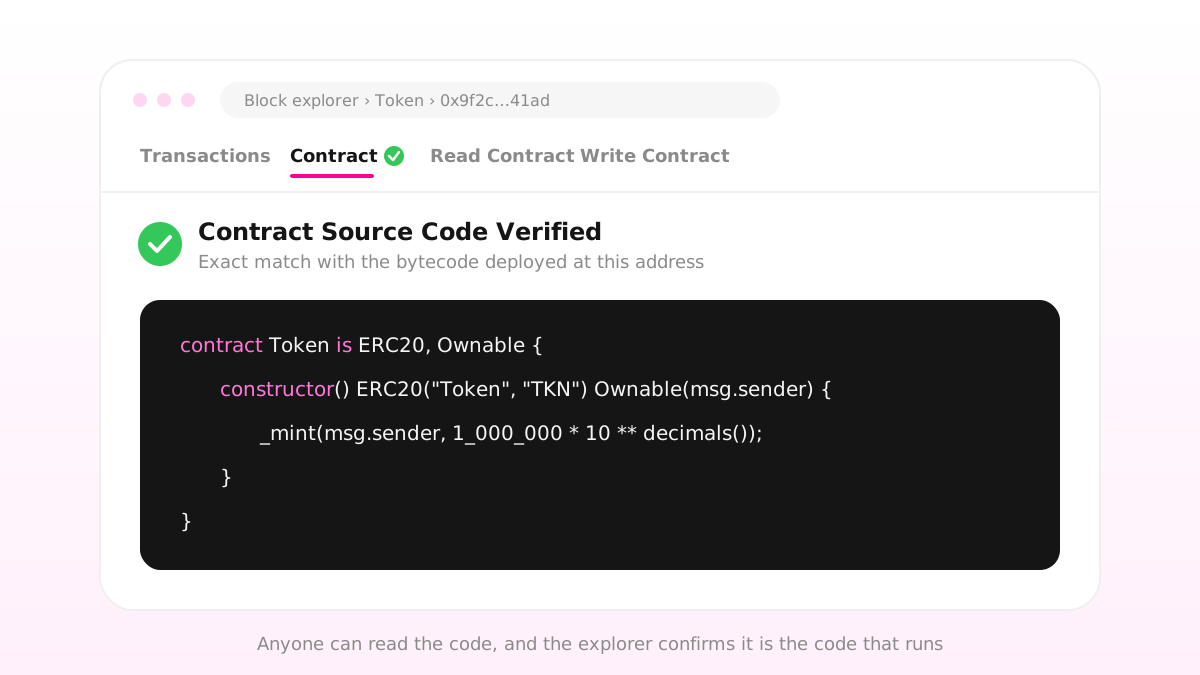
A deployed EVM contract is bytecode, which people can't read. Verification publishes the source code and has the explorer compile it and match it against what is actually on-chain. When it matches, the contract gets a "Verified" label, its code becomes public for anyone to read, and the explorer's Read Contract and Write Contract tabs open up. An unverified contract is a red flag in its own right: a buyer has no way to see what it does.
Tokens that Unilaunch launches on EVM chains are verified on the chain's explorer automatically, so the source is readable on Etherscan, BscScan, BaseScan and the rest from the start.
Solana works differently. A standard SPL or Token-2022 token doesn't carry a program of its own — it's run by Solana's shared token program — so there's no per-token source code to publish. What buyers check instead are the authorities above, the metadata and, for Token-2022, extensions such as transfer fees, which scanners report.
Two other kinds of "verified" are worth knowing:
Jupiter's verified badge marks a token as the canonical version of its ticker — useful on a chain where anyone can mint a token with any name. Jupiter is clear that verification is not an endorsement and doesn't guarantee a token's safety.
Token info on DexScreener adds your logo, description and links to the pair page, so buyers know they've found the right token.
Unilaunch submits your token to both.
4. Lock or burn the liquidity
The most direct rug pull needs no hidden code at all: the creator withdraws the liquidity from the pool. Holders still own their tokens, but there's nothing left to sell them into. Locking or burning liquidity takes that option away, in one of two ways.
A time lock. Liquidity lockers such as UNCX and Team Finance hold your LP tokens in a smart contract until an unlock date you choose. The lock gets a public page showing how much is locked, until when, and who deposited it — and that link is your proof.
A permanent lock. On Raydium, Burn & Earn permanently locks a CPMM or CLMM position. The LP tokens move into a program-owned escrow and the liquidity can never be withdrawn, while a transferable Fee Key NFT keeps the right to claim trading fees. On Solana, tools such as Streamflow can also lock tokens on-chain with public unlock conditions.
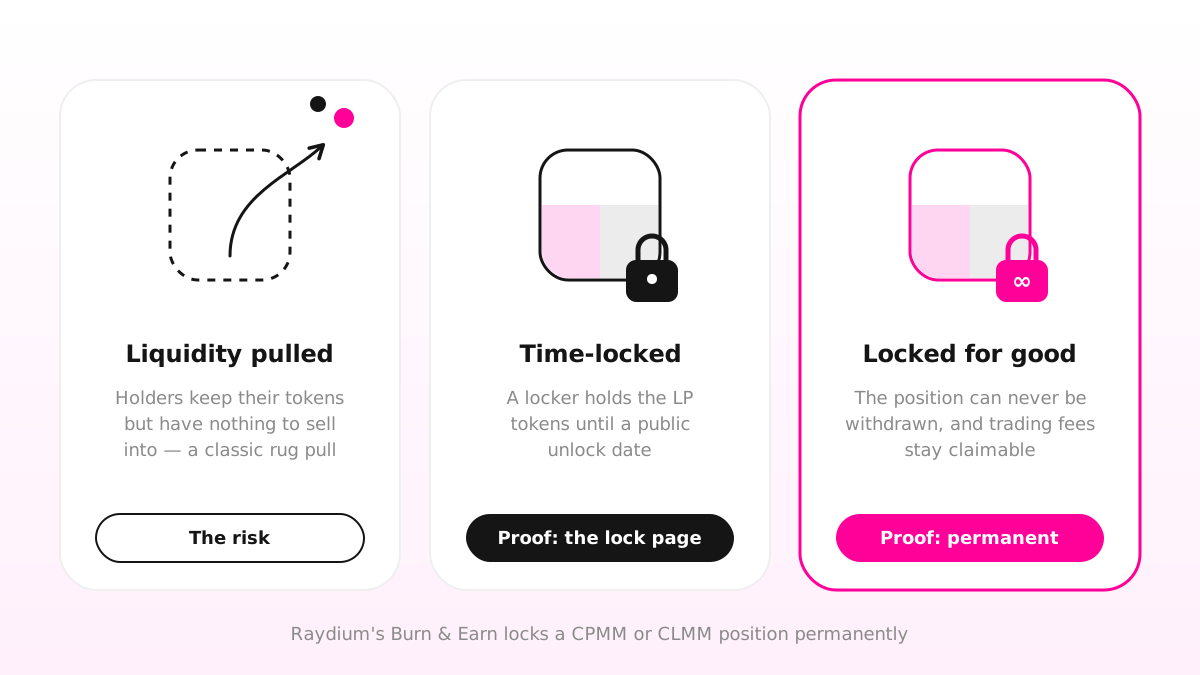
A lock that expires next month proves very little: the longer it runs, or the more of the liquidity is locked for good, the stronger the signal. Whichever you choose, post the lock link where buyers look — your website, X and Telegram. RugCheck shows the locked share of the liquidity too.
5. Get an audit, and know what it proves
A security audit is an independent review of a contract's code, looking for bugs and design flaws. It's most valuable for contracts with custom logic — taxes, staking, vesting. But it has limits: as ethereum.org puts it, audits won't catch every bug, and shouldn't be treated as a silver bullet.
If you commission one, make sure the report names the exact contract address it reviewed, and link to it from your site. An audit of a different version of the code proves nothing about the one you deployed.
Free scanners aren't audits, but buyers will run them anyway — so run them first. RugCheck covers Solana tokens; honeypot.is and GoPlus cover EVM tokens. Scanners read what's on-chain, which makes them a first filter, not a verdict.
6. Show where the supply went
Even with every authority revoked and the pool locked, one wallet holding a third of the supply can crash the price. RugCheck lists the top holders and flags wallets that look linked, so buyers will see concentration whether you mention it or not.
Be open about the split before anyone has to ask:
Publish the allocation. Say how much went into the pool, to the team and to marketing, with the wallet address for each. On Unilaunch, multi-wallet distribution sends supply to up to 10 wallets at creation, so the split is on-chain from launch.
Vest the team's tokens. Streamflow and Jupiter Lock create on-chain escrows that release tokens on a public schedule, so nobody can dump the team allocation on day one.
Explain, don't hide. An allocation you explain up front reads as a plan. The same wallets found by a scanner read as a secret.
The trust checklist
| Signal | What it proves | Where buyers check |
|---|---|---|
| Mint authority revoked | No new supply can ever be created | Solscan, RugCheck |
| Freeze authority revoked | No holder's wallet can be frozen | Solscan, RugCheck |
| Metadata immutable | The name and logo can't be swapped | Solscan metadata, RugCheck |
| Ownership renounced | Owner-only functions are gone | The explorer: owner is the zero address |
| Contract verified | The published code is the code that runs | "Verified" on Etherscan, BscScan, BaseScan |
| Liquidity locked or burned | The pool can't be pulled | The lock page, RugCheck |
| Team tokens vested | The team can't dump its allocation at once | The Streamflow or Jupiter Lock page |
| Audit report | A third party reviewed the code | The report, naming the contract address |
What none of this can prove
These signals close off the ways a token can be turned against its holders. They don't make a project good. A token with revoked authorities and burned liquidity can still lose its value if nobody wants it, and a verified badge — Jupiter's included — says nothing about a team's plans.
So pair the proof with plain honesty: say what you've locked and what you haven't, who holds what, and what you're building. The more a buyer can check for themselves, the less you have to ask them to take on trust.
Ready to launch with the trust signals built in? Create your token with its authorities revoked in the same step, or browse the Knowledge Base for step-by-step guides.
- #token safety
- #rug pull
- #renounce ownership
- #contract verification
- #liquidity lock
- #audit
- #RugCheck